
 By
By 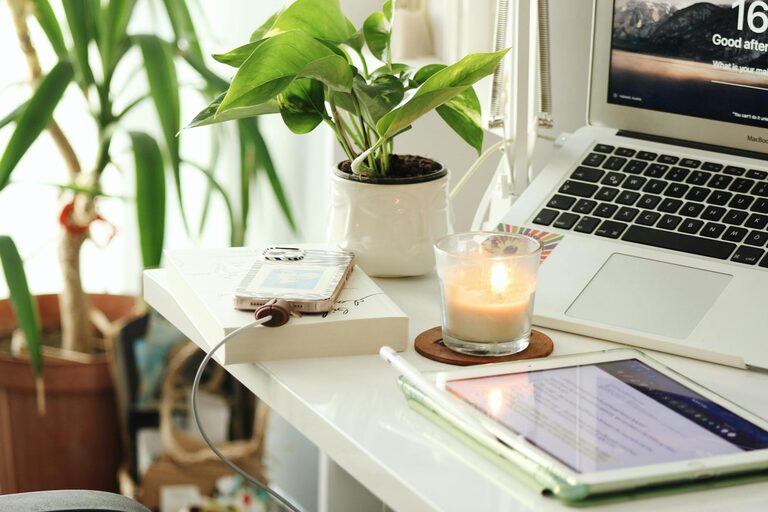
Creating a home office that feels cozy yet encourages productivity can make a big difference in your daily work routine. Whether you work remotely full-time or occasionally, a well-designed workspace supports focus, reduces stress, and helps maintain a good work-life balance. Here are some practical tips to help you set up a home office that is both inviting and effective.
Choose the Right Location
Finding the ideal spot in your home is the first step to a great office setup.
– Quiet Area: Pick a space away from high-traffic zones to minimize distractions.
– Natural Light: Position your desk near a window if possible, to benefit from natural light, which can improve mood and reduce eye strain.
– Size and Comfort: Ensure the space is large enough for necessary equipment and allows you to move comfortably.
Invest in Comfortable and Functional Furniture
Ergonomic furniture can prevent discomfort during long work hours and improve focus.
– Ergonomic Chair: Choose a chair with good lumbar support and adjustable settings for height and tilt.
– Desk Size: Your desk should fit your computer, supplies, and leave some room to stretch out papers or notebooks.
– Standing Options: Consider a sit-stand desk converter for flexibility and to encourage movement.
Organize Efficiently
A tidy workspace helps you stay focused and reduces stress.
– Storage Solutions: Use shelves, filing cabinets, or drawer units to keep documents and supplies organized.
– Cable Management: Use clips, sleeves, or boxes to keep cords untangled and out of sight.
– Minimalism: Keep only what you need on your desk to reduce clutter.
Personalize Your Space
Add touches that make your office feel welcoming without overwhelming the workspace.
– Plants: Small indoor plants can enliven the room and improve air quality.
– Artwork: Inspiring or calming art can boost creativity and mood.
– Color Scheme: Choose colors that you find soothing or energizing, depending on your preference.
Optimize Lighting
Good lighting reduces eye strain and enhances productivity.
– Layered Lighting: Combine natural light with task lighting like desk lamps and ambient lighting for balance.
– Adjustable Lamps: Position adjustable lamps to avoid glare on screens.
– Warm vs. Cool Lights: Use cooler light for concentration and warmer light for relaxation moments.
Maintain a Comfortable Environment
Temperature, air quality, and noise levels can influence your work experience.
– Temperature Control: Use fans, heaters, or air conditioning to maintain a comfortable temperature.
– Ventilation: Open windows when possible or use air purifiers to keep air fresh.
– Noise Control: Use noise-cancelling headphones or white noise machines to block distractions.
Incorporate Technology Thoughtfully
Technology is crucial but keeping it manageable avoids feeling overwhelmed.
– Reliable Equipment: Invest in a good computer, monitor, and internet connection.
– Dual Monitors: If your work requires multitasking, dual monitors can enhance efficiency.
– Backup Power: Use a surge protector or backup battery for important devices.
Establish Boundaries and Routine
Creating habits that separate work time from personal time supports productivity.
– Designate Work Hours: Set specific start and end times to your workday.
– Break Spaces: Have a separate area or step away occasionally to rest your mind.
– Declutter Daily: Spend a few minutes each day clearing your desk and preparing for the next day.
Final Thoughts
A cozy and productive home office is achievable with a few thoughtful choices. By focusing on comfort, organization, and personalization, you can create a space that makes working from home more enjoyable and efficient. Experiment with these tips to find what works best for your lifestyle and work needs. Remember, the key is balance — a place that feels good to be in and helps you get your best work done.