
 By
By 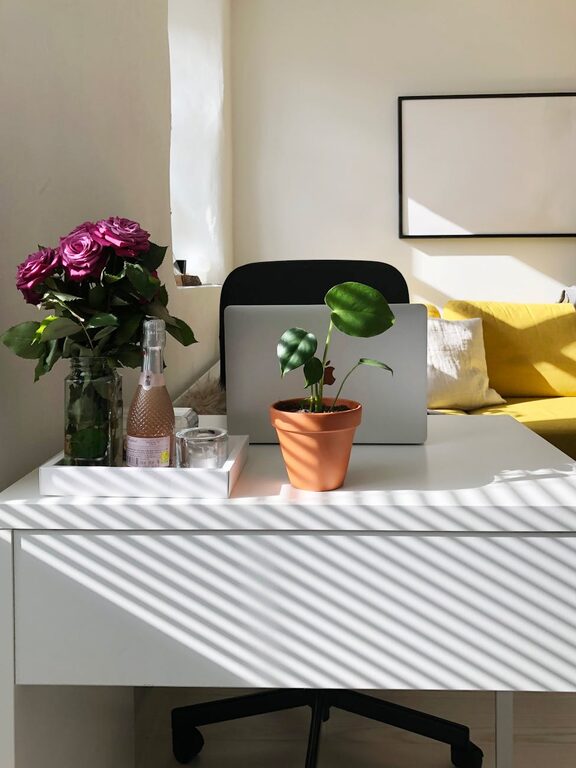
Creating a comfortable and productive home office is essential for anyone working remotely or managing tasks from home. A well-designed workspace can boost your focus, reduce stress, and help separate work life from personal life. Here are some helpful tips to create a home office space that supports your best work.
Choose the Right Location
Selecting the right place for your home office is the foundation of a good workspace. Consider these factors:
– Quiet Area: Pick a spot with minimal noise and distractions to maintain concentration.
– Natural Light: Position your desk near a window to benefit from daylight, which can improve mood and alertness.
– Space Availability: Make sure there is enough room for your desk, chair, and any needed equipment or storage.
Even a small corner can work if it’s thoughtfully arranged.
Invest in Ergonomic Furniture
Comfort plays a big role in productivity. Ergonomic furniture supports good posture and reduces physical strain.
– Chair: Choose an adjustable chair with proper lumbar support to avoid back pain.
– Desk: Select a desk at the right height or consider a sit-stand desk to vary your working position.
– Monitor Placement: Keep your computer screen at eye level to prevent neck strain.
Small adjustments can make a big difference in your daily comfort.
Organize and Declutter
A tidy workspace helps keep your mind clear and focused.
– Storage Solutions: Use shelves, drawers, or filing cabinets to keep supplies organized and easily accessible.
– Minimalism: Only keep essential items on your desk. Store everything else out of sight.
– Cable Management: Use clips or cable organizers to reduce tangles and keep the area neat.
Regularly cleaning and organizing your space maintains an environment conducive to work.
Optimize Lighting
Inadequate lighting can cause eye strain and fatigue.
– Layered Lighting: Combine natural light with overhead lights and task lamps for balanced illumination.
– Adjustable Lamps: Use a desk lamp with adjustable brightness and direction to suit your tasks.
– Avoid Glare: Position screens and lights to reduce reflections and glare.
Good lighting keeps you comfortable and alert throughout the day.
Personalize Your Space
Adding personal touches makes your office inviting and motivating.
– Decor: Hang artwork or photos that inspire you.
– Plants: Incorporate greenery to improve air quality and create a calming atmosphere.
– Colors: Use colors that promote focus and calmness, such as blues or greens.
Personalization helps create a space where you enjoy spending time.
Establish Boundaries
To maintain work-life balance, set clear boundaries around your home office.
– Work Hours: Define your start and end times consistently.
– Separate Zones: If possible, keep your office area separate from leisure spaces.
– Communicate: Let family or housemates know your schedule to minimize interruptions.
Clear boundaries support productivity and mental well-being.
Use Technology Wisely
Having the right technology setup is key to efficient work.
– Reliable Internet: Ensure your connection is fast and stable.
– Essential Tools: Invest in a quality headset, webcam, or printer if needed.
– Backup Plans: Use cloud storage or backup drives to protect your work.
Proper technology reduces technical frustration and keeps you connected.
Maintain a Healthy Routine
Your workspace should encourage healthy habits during the workday.
– Breaks: Take regular breaks away from the screen to rest your eyes and stretch.
– Hydration: Keep water nearby and stay hydrated.
– Movement: Incorporate light exercises or walks to reduce stiffness.
Combining a good environment with healthy habits enhances your overall productivity.
—
Creating a home office that feels comfortable and promotes productivity takes some planning, but it’s well worth the effort. By choosing the right space, investing in ergonomic furniture, organizing efficiently, and maintaining healthy habits, you can build a home office that supports your best work every day.