
 By
By 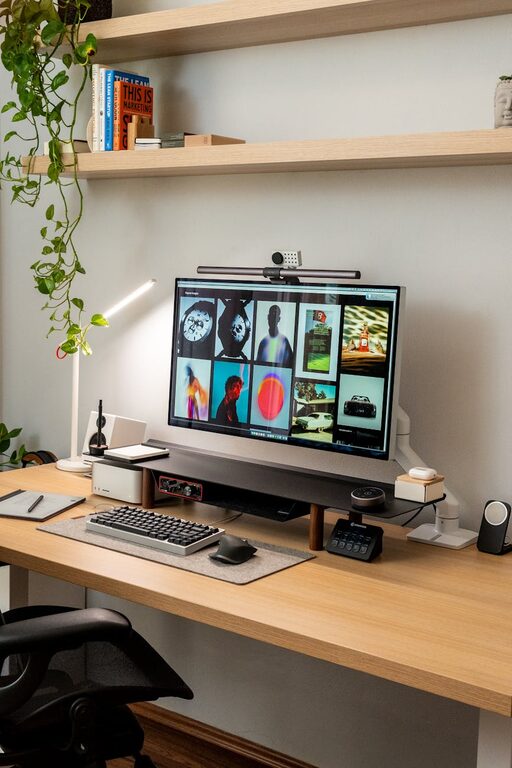
Creating a home office that is both cozy and functional can significantly enhance your productivity and overall work enjoyment. Whether you’re working remotely full-time or need a dedicated space for occasional tasks, designing the right environment is key. Below, you’ll find practical tips and ideas to help you create a home office space that feels inviting and supports your daily workflow.
Choose the Right Location
Selecting the ideal spot for your home office sets the foundation for comfort and focus.
– Look for natural light: Positions near windows can boost mood and reduce eye strain.
– Consider noise levels: Choose a quiet corner or room to minimize distractions.
– Think about privacy: Ensure the space can be closed off if needed, particularly for meetings or calls.
– Accessibility: Place essential tools and devices within easy reach to help maintain workflow.
Invest in Comfortable Furniture
Ergonomics plays a vital role in creating a space that’s pleasant and safe to work in.
– Desk: Choose a desk size appropriate to your space and needs, with enough surface for your computer, documents, and other essentials.
– Chair: Invest in an ergonomic chair with adjustable height and good lumbar support.
– Additional seating: If space permits, include a comfy chair or small sofa for reading or brainstorming.
Optimize Lighting
Proper lighting reduces eye fatigue and sets the atmosphere of your office.
– Natural lighting: Maximize daylight where possible.
– Task lighting: Use adjustable desk lamps for focused work.
– Ambient lighting: Soft overhead lights or floor lamps can create a warm, welcoming environment.
– Avoid glare: Position your computer screen to prevent reflections from windows or lights.
Organize Your Space
A tidy office fosters clarity and productivity.
– Storage solutions: Utilize shelves, filing cabinets, and drawer organizers to keep documents and supplies in order.
– Declutter regularly: Keep only what you need on your desk to maintain a clean workspace.
– Cable management: Use clips, sleeves, or boxes to hide cables and prevent tangling.
– Designate zones: Separate work areas from relaxation or creative spaces within your office if possible.
Personalize Thoughtfully
Adding personal touches can make your workspace more inviting without distracting you.
– Artwork or photos: Display pieces that inspire or motivate you.
– Plants: Indoor greenery helps improve air quality and brings life to the room.
– Colors: Choose soothing, neutral colors or accents that encourage focus.
– Comfort items: Include cushions, blankets, or a small rug to enhance coziness.
Incorporate Technology
Ensure your technology supports a smooth workflow.
– Reliable internet: Consider upgrading your router or using a wired connection if possible.
– Monitor setup: Multiple monitors or a larger screen can boost efficiency.
– Accessories: Invest in quality keyboards, mice, and headphones for comfort and better performance.
– Charging stations: Keep devices powered and chargers organized.
Maintain a Healthy Routine
Your home office should encourage habits that support well-being.
– Regular breaks: Design reminders or use apps to prompt short breaks away from screens.
– Movement space: Leave room for stretching or light exercise.
– Hydration: Keep a water bottle or tea nearby to stay hydrated.
– Air quality: Open windows regularly or use air purifiers to maintain freshness.
Final Thoughts
Designing a cozy and functional home office is about balancing comfort with efficiency. By choosing the right location, optimizing lighting, investing in ergonomic furniture, organizing thoughtfully, personalizing tastefully, and integrating the right technology, you can create a space that nurtures productivity and well-being. Remember, your home office is where your workday begins—make it a place you enjoy being in.