
 By
By 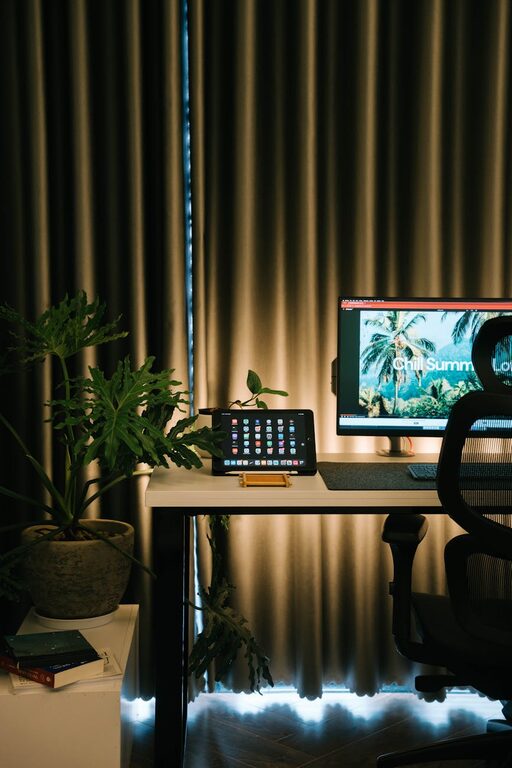
Creating a home workspace that feels both cozy and productive can significantly enhance your ability to focus and enjoy your workday. Whether you work remotely full-time or occasionally bring projects home, a well-designed space supports your productivity and well-being. In this article, we’ll explore practical tips to help you create a home workspace that combines comfort with efficiency.
Why a Cozy Workspace Matters
A workspace that feels inviting can motivate you to start your day with enthusiasm. Comfort helps reduce stress and fatigue, while a clutter-free environment minimizes distractions. When you feel good in your workspace, you’re more likely to maintain consistent work habits and deliver your best results.
Choosing the Right Location
Consider Natural Light
Placing your desk near a window allows you to benefit from natural light, which can improve mood and reduce eye strain. If natural light is limited, invest in good quality lighting that mimics daylight to keep your workspace bright and inviting.
Minimize Noise and Distractions
Select a quiet corner in your home where household noises and interruptions are minimal. If that’s not possible, noise-cancelling headphones or soft background music can help maintain focus.
Space Requirements
Ensure your workspace has enough room for your equipment, such as a computer, monitor, and any paperwork you need. Also, leave space for personal touches that bring you joy without cluttering your desk.
Ergonomic Setup for Comfort
Invest in a Good Chair
A comfortable, adjustable chair supports your posture during long work sessions. Look for chairs with lumbar support, adjustable height, and armrests for the best comfort.
Desk Height and Monitor Position
Your desk height should allow your arms to rest comfortably at a 90-degree angle. Place your monitor at eye level, about 20 inches from your face, to prevent neck strain.
Accessory Considerations
Use a keyboard and mouse that feel comfortable in your hands, preferably ergonomically designed. Consider a document holder or stand if you frequently refer to printed materials.
Organizing Your Workspace
Declutter Regularly
Keep your desk tidy by removing any unnecessary items. Use trays, drawers, or boxes to organize papers and office supplies. A clean workspace reduces stress and helps you stay focused.
Use Storage Solutions
Shelves, filing cabinets, or wall organizers can keep your essentials within reach but off your desktop. Label containers to quickly find what you need.
Cable Management
Tidy up cables with clips, sleeves, or under-desk trays. Organizing cords not only looks better but also prevents accidental unplugging or tripping.
Personalizing Your Space
Add Cozy Elements
A soft throw blanket, a small rug, or cushions can make your workspace feel warm and inviting. Plants not only brighten the space but also improve air quality and mood.
Incorporate Inspirational Items
Place photos, artwork, or a vision board that inspires you without causing distraction. These personal touches can boost creativity and motivation.
Choose Soothing Colors
Colors influence mood and focus. Light, neutral tones promote calm, while a splash of your favorite color in accessories adds energy without overwhelming the space.
Establishing a Routine
Set Clear Work Hours
Designate specific working hours to separate professional time from personal time. Inform family members of your schedule to reduce interruptions.
Take Breaks
Regular breaks help maintain productivity and reduce fatigue. Use techniques like the Pomodoro method to schedule short rests.
Keep Hydrated and Nourished
Having a water bottle and healthy snacks nearby supports your well-being during work hours.
Technology Tips
Reliable Internet Connection
A fast, stable internet connection is essential for smooth communication and efficient work.
Backup and Security
Use cloud backups for important files and keep your devices updated with security patches to protect your data.
Use Productivity Tools
Apps and software for task management, calendars, and note-taking can keep your work organized and on track.
Final Thoughts
Designing a cozy and productive home workspace is about creating an environment that suits your needs and encourages focus. By thoughtfully choosing your location, organizing your tools, and adding personal touches, you can enjoy a space that helps you do your best work comfortably. Remember, a well-planned workspace is an investment in your daily productivity and well-being. Take the time to tailor your space, and you’ll likely find your workdays becoming more enjoyable and efficient.