
 By
By 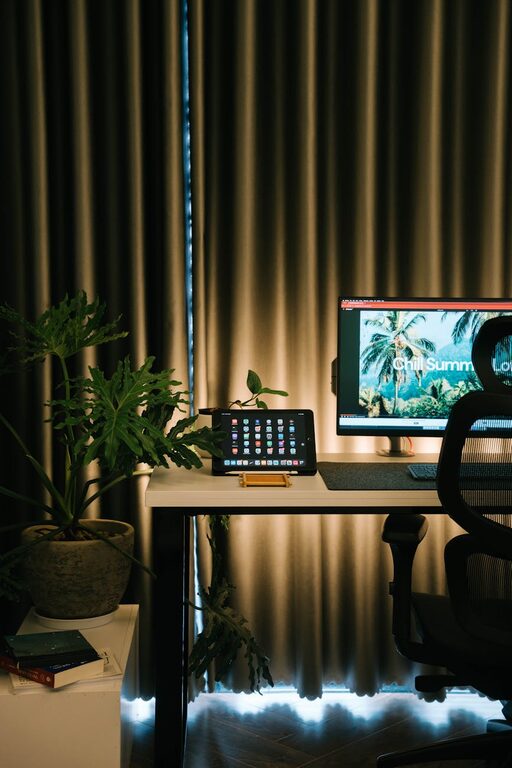
Creating a cozy and productive home workspace is essential for anyone working remotely or spending significant time at home on projects. A well-designed workspace boosts focus, reduces stress, and makes working from home a more enjoyable experience. If you’re looking to improve your home office setup, consider these practical tips that balance comfort and productivity.
Choose the Right Location
Your workspace location affects your comfort and efficiency. Pick a spot with minimal distractions, good natural light, and enough space for your equipment.
– Natural light: Position your desk near a window if possible. Natural light improves mood and reduces eye strain.
– Quiet area: Choose a room or corner away from noisy areas like the kitchen or living room.
– Sufficient space: Make sure the area can comfortably fit your desk, chair, and storage without feeling cramped.
Invest in Comfortable and Supportive Furniture
Comfort is key when working long hours. An ergonomic chair and appropriate desk height protect your posture and keep you feeling good.
– Ergonomic chair: Look for adjustable features such as lumbar support, seat height, and armrests.
– Desk height: Your desk should allow your forearms to be parallel to the floor when typing.
– Footrest: Consider adding a footrest to improve circulation and reduce leg fatigue.
Organize Your Workspace Efficiently
Clutter can distract and slow you down. Keep only essential items on your desk and store others neatly.
– Declutter regularly: Remove unnecessary papers and items at the end of each workday.
– Use organizers: Desk trays, pen holders, and cable management tools keep everything tidy and accessible.
– File system: Create a system for important documents, either physical files or digital folders.
Personalize Your Workspace
Adding personal touches can make your workspace feel inviting and motivate you to spend time there.
– Plants: Houseplants improve air quality and provide a calming presence.
– Artwork or photos: Choose images that inspire or relax you.
– Decor: Small items like a colorful mousepad or a cozy throw blanket can make the space feel more welcoming.
Optimize Lighting
Good lighting reduces eye strain and creates a pleasant environment.
– Task lighting: Use a desk lamp with adjustable brightness to focus light where you need it.
– Avoid glare: Position computer screens to minimize reflections from windows or lights.
– Ambient lighting: Soft overhead lights or lamps can reduce harsh contrasts in the room.
Minimize Distractions
Focus is crucial for productivity. Implement strategies to limit interruptions during work hours.
– Set boundaries: Inform family or roommates of your working schedule to minimize disturbances.
– Noise control: Use noise-cancelling headphones or play background music if it helps you concentrate.
– Digital distractions: Turn off non-essential notifications and use website blockers if needed.
Maintain Good Air Quality and Temperature
A comfortable climate keeps you alert and comfortable while working.
– Ventilation: Open a window from time to time or use an air purifier.
– Temperature control: Set a thermostat that keeps the room neither too hot nor too cold.
– Humidifier: In dry climates or during winter, a humidifier can prevent dryness and discomfort.
Create Daily Routines and Breaks
Even a cozy setup can become stagnant without good habits.
– Regular breaks: Follow the 20-20-20 rule to rest your eyes—every 20 minutes, look at something 20 feet away for 20 seconds.
– Stretching: Stand and stretch or walk every hour to reduce stiffness.
– Start and stop rituals: Develop small routines that mark the beginning and end of your workday to separate work from personal time.
Use Technology Wisely
Technology is essential but should support rather than overwhelm you.
– Reliable equipment: Invest in good-quality internet, a comfortable keyboard and mouse, and a monitor that suits your needs.
– Backup plans: Have a power bank or surge protector in case of outages.
– Software tools: Use apps and programs that enhance productivity, such as task managers and calendar reminders.
Regularly Update Your Workspace
Your needs may change over time, so refresh your workspace periodically.
– Change layout: Rearrange furniture to improve flow or access to light.
– Upgrade gear: Replace worn-out furniture or outdated technology.
– Add new elements: Introduce new decor or organization tools to keep your space inspiring.
—
By focusing on comfort, organization, and minimizing distractions, you can create a home workspace that supports both your wellbeing and productivity. Start with small changes and personalize the space to fit your unique working style. A cozy, well-planned workspace can make all the difference in your work-from-home experience.